Achievements & Dailies
Most things you do have an achievement that pays gear, materials, gold, experience or reputation. The Index shows every achievement with its tasks and rewards, and monster, raid, map and item pages list the achievements they count towards.
- Achievements: done once per character (some per account).
- Dailies, weeklies and the monthly: reset and pay again every day, week or month.
How it works
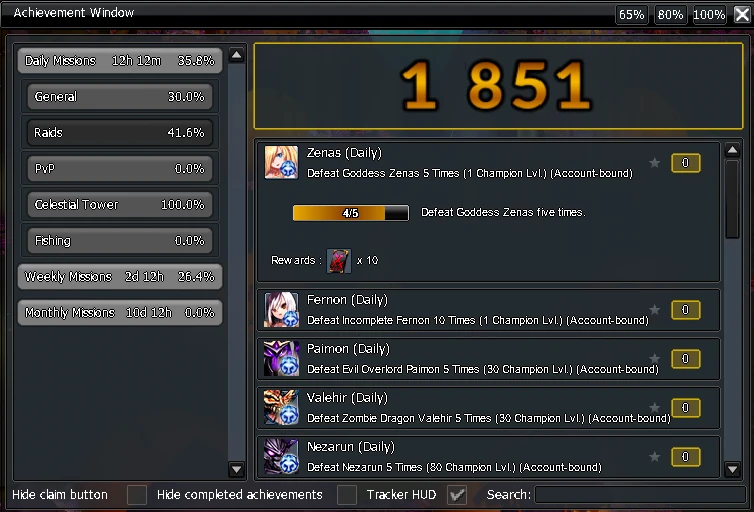
Open the achievement window with CTRL + U or the book icon at the top right of your map. Pick a category on the left, then click an achievement to see its tasks, progress and rewards. Your total Achievement Points are shown in large digits at the top.
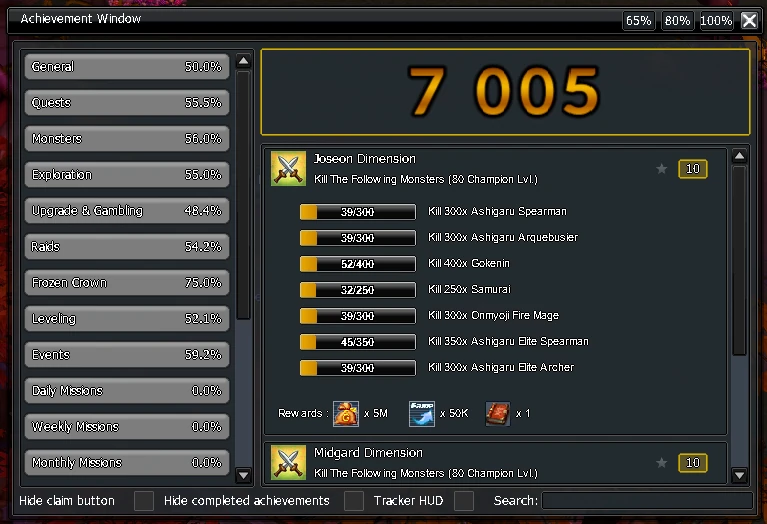
- Type in Search to find achievements by name, and tick Hide completed achievements to keep only what is left to do.
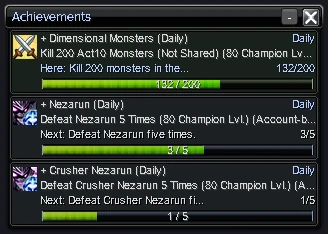
- Star an achievement to follow it in the tracker: it shows your progress while you play and points out objectives you can do on your current map. Turn it on or off with Tracker HUD.
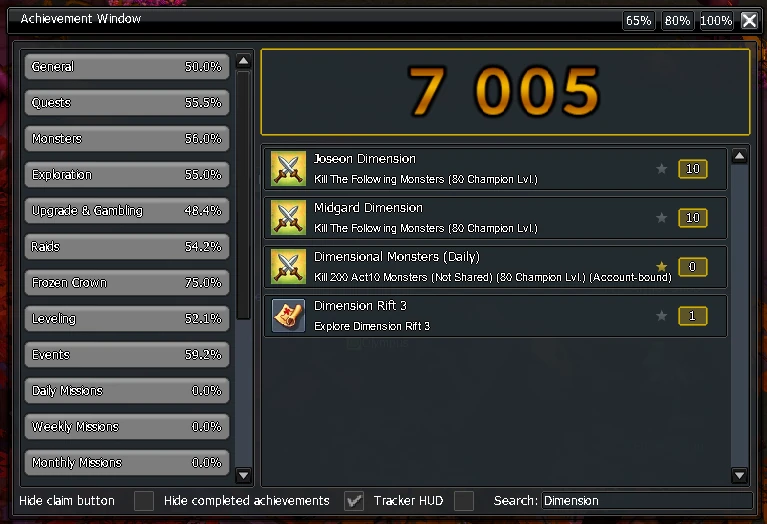
Name colour: every achievement gives Achievement Points. Your total sets the colour of your name, with a new colour at 1,150 · 2,350 · 3,500 · 4,300 · 5,100 · 5,900 · 6,300 · 6,700 · 7,100 · 7,500 (max). The Wardrobe can show any colour you've unlocked.
Repeatables:
- They are always active: do the activity and the reward comes when the task is done.
- Resets follow the UTC calendar, not a timer: a daily finished at 23:50 UTC is back ten minutes later.
- "Not Shared" monster dailies only count monsters you kill; party members' kills don't count.
- Dailies and weeklies count from the same runs, so a week of dailies also fills the weekly.
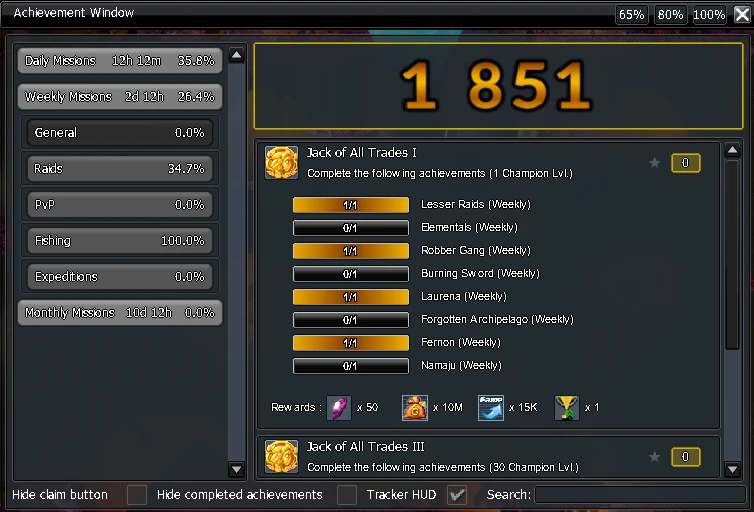
- Jack of All Trades weeklies complete themselves once you finish the weeklies they list, and pay a bonus.
Lv X+needs that level;C X+needs that champion level.- Seasonal events add their own dailies while they run, under Events.
In the achievement window they sit under Daily, Weekly and Monthly Missions. Each tab shows how long is left until its reset; click an activity to see its progress and reward.