Bidding System

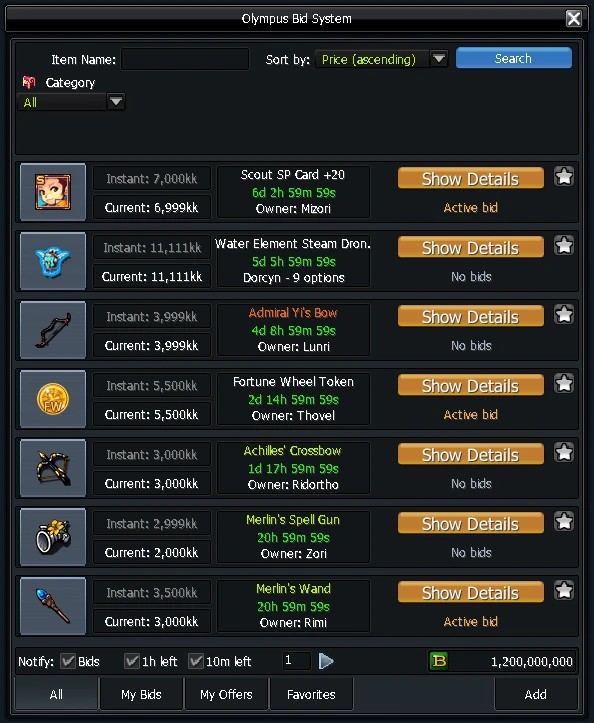
The Bidding System auctions items in real time. Every bid is real, and prices can go above the NosBazaar limit.
How it works
- Open it from Skill Info (K): in the Motion tab, double-click the Bidding System icon. Read the disclaimer before your first auction.
- Bank gold: every bid and every payout uses the gold in your bank, and prices are in kk (5000kk = 5 billion).
- Listing fee: each auction costs 1kk (1,000,000 gold) from your inventory gold.
- Limit: you can have up to 14 auctions running at once.
Selling
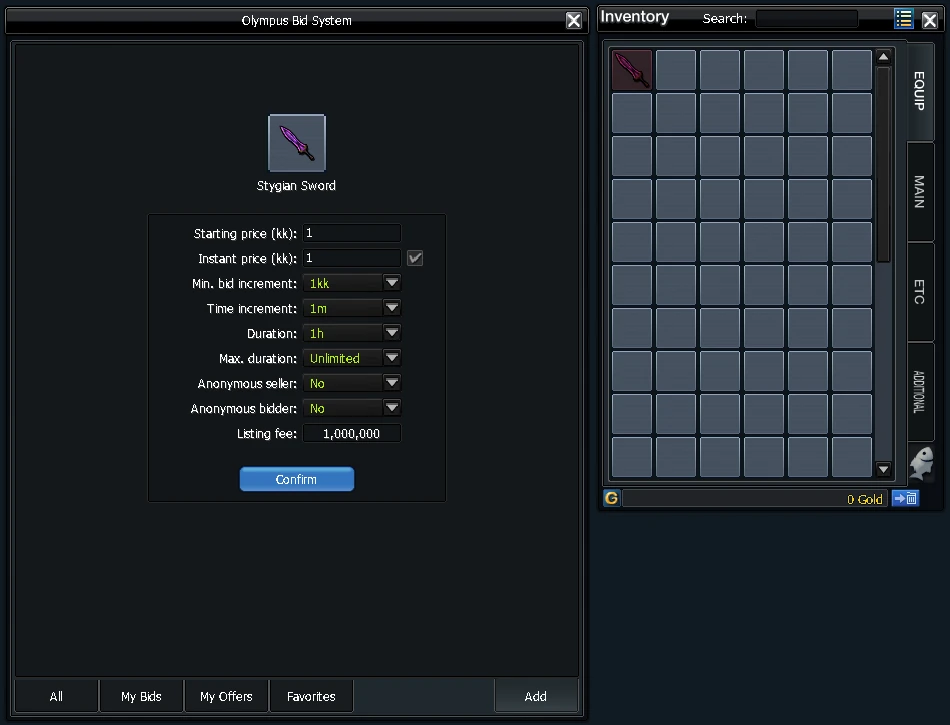
Click Add, drag the item into the free slot and set the auction:
| Setting | What it does |
|---|---|
| Starting price | The first bid |
| Instant price | Optional buy-now price |
| Min. bid increment | The smallest raise per bid |
| Time increment | Extends the auction when a late bid comes in |
| Duration / Max. duration | How long it runs, and the most it can be extended to |
| Anonymous seller / bidder | Hides your name or the bidders' names |
When the auction ends, open My Offers, Show Details and Withdraw to get the gold in your bank.
After the first bid, you can't take the item back.
Buying
Click Show Details on an item to bid, use Buy Instantly, or bid anonymously if the seller allows it. If someone outbids you, your gold goes back to your bank at once. If your bid is 50kk or more above the highest bid, the game asks you to confirm it.
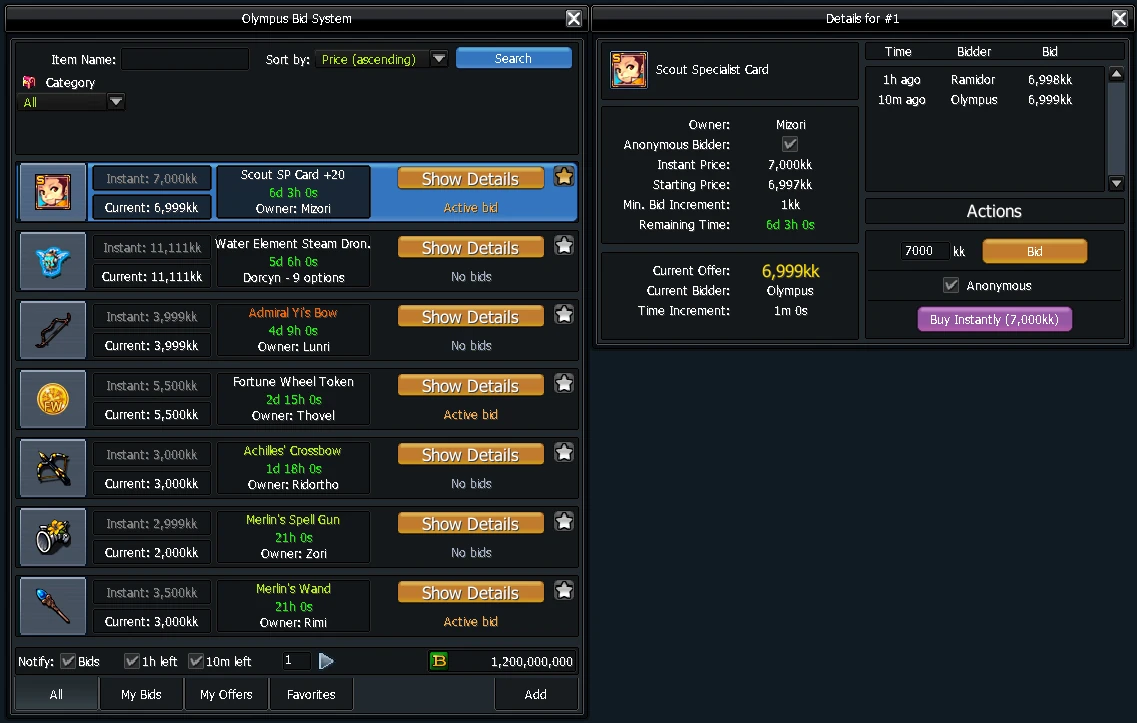
When the auction ends, open My Bids, find the auction marked Won, click Show Details and Withdraw Item. With a full inventory, the item goes to your Parcels.
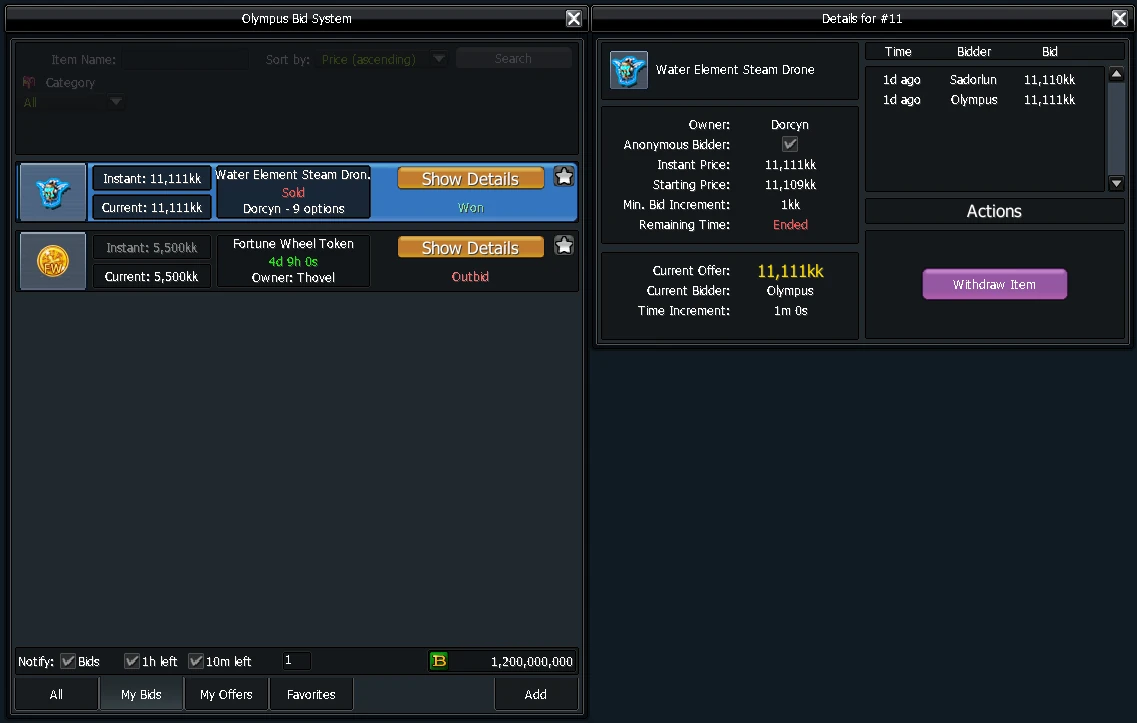
A winning bid is final. Auctions can be decided in the last milliseconds.
What can be auctioned
- Weapons, armour, gloves, boots, necklaces, rings, bracelets and shells
- Costumes, costume hats, weapon costumes and costume wings
- Zenas, Erenia, Fernon and Drone fairies
- SP cards inside a
 Golden Specialist Card Holder
- The Fortune Wheel pet beads, partner beads and Partner SP holders
 Fortune Wheel Ticket,
 Fortune Wheel Token,
 Olympus Coins (1000 OC) and every Effect minipet except the Rainbow Minipet
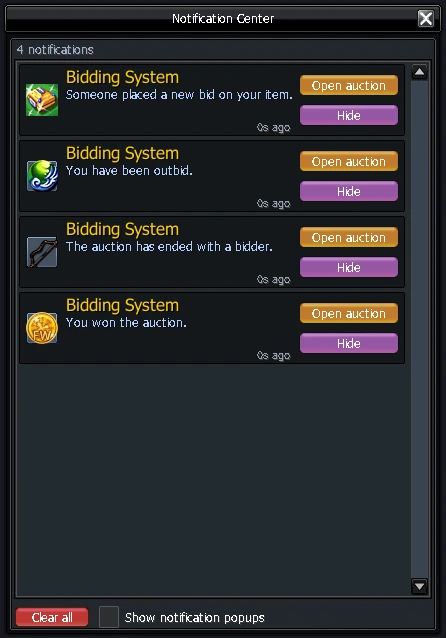
- Turn on Show notification popups in the Notification Center to hear right away when you're outbid or your item sells.
- Use Speakers to advertise your auction.