Event Manager & Notifications

Event Manager
The Event Manager shows when events start and end. Open it with the icon at the top right, next to the minimap.
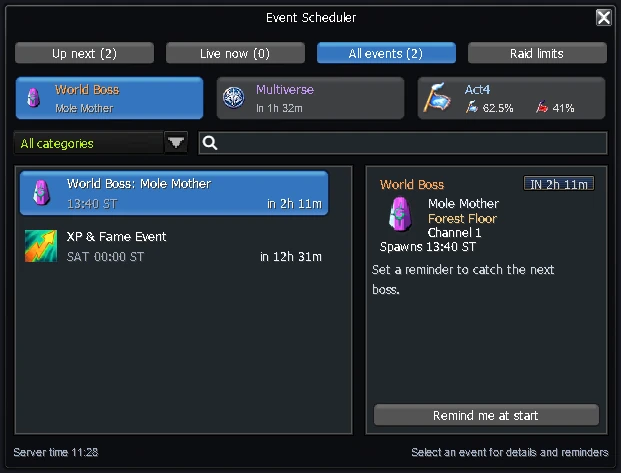
- Tabs: Up next, Live now, All events and Raid limits.
- Categories narrow the list: Rotational Events (this weekend's rotating event, announced on Friday and running Saturday and Sunday), World Bosses (the next spawn), General (a Multiverse Invasion while it runs), Act4 (the faction points), Ranked Duel (the rewarded hours, shortly before and while they run) and Events (the seasonal event while one is on).
- Three cards above the list always show the World Boss (which boss, where and when), the next or current Multiverse invasion and Act4 with both faction percentages. When an Act 4 dungeon opens, the Act4 card shows its faction and boss.
- Click an event for its details on the right (category, start time and what it does), or search by name next to the category menu.
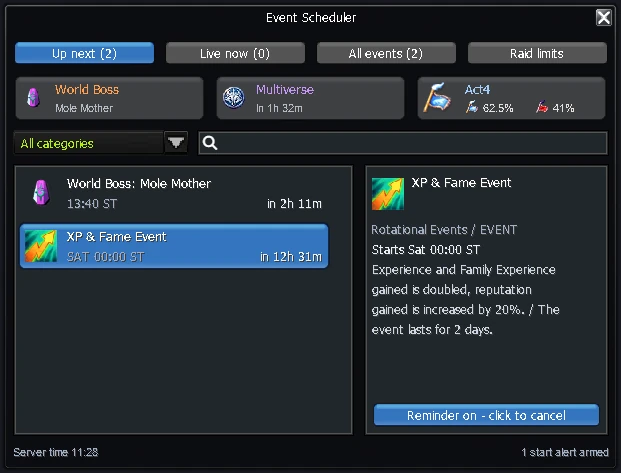
- Select an upcoming event and press Remind me at start to get an alert when it begins; press it again to cancel. The bottom of the window shows how many alerts you have armed.
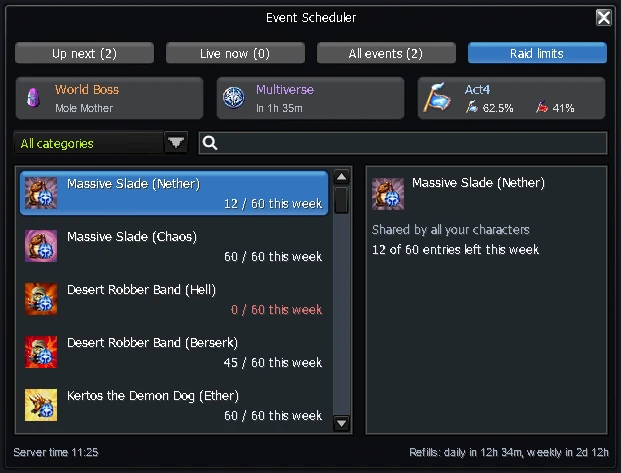
Raid limits
The Raid limits tab lists how many entries you have left for the raids with a limit: the Multiverse raids per week, shared by all your characters, and Lord Draco, Glacerus, Imp Cheongbi and Lord Melonoth per day. The bottom of the window shows when the daily and weekly entries refill.
Notification Center
The Notification Center lists what happens on the server. Open it with the  icon at the top right, or in Skill Info (K) → Motion.
It tells you when:
- your item sells on NosBazaar
- an Act 4 dungeon opens for your faction
- a Multiverse invasion starts
- something happens to your auctions (new bid, outbid, auction ended)
- your Raid Report, Time-Space report or farming report is ready
- a Pet AFK Arena campaign run is ready to claim
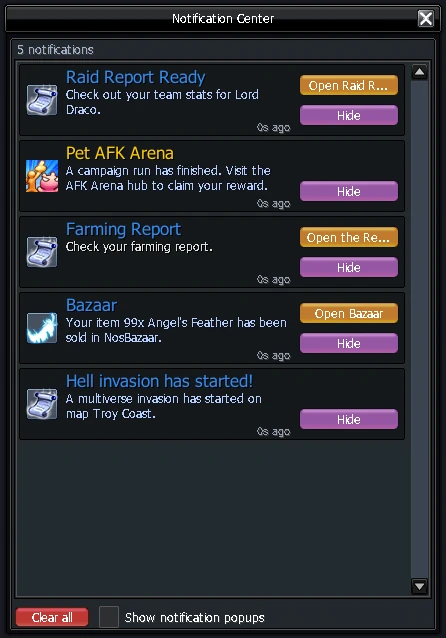
Tick Show notification popups to also get a popup on the right of the screen.