Pet Drop Filtering
Choose what your pet picks up for you.
- Click the button next to your pet's portrait to open Pet Drop Filtering.
- Drag an item from your inventory into the middle box.
- Click Add to whitelist or Add to blacklist. Double-click an item in a list to remove it again.
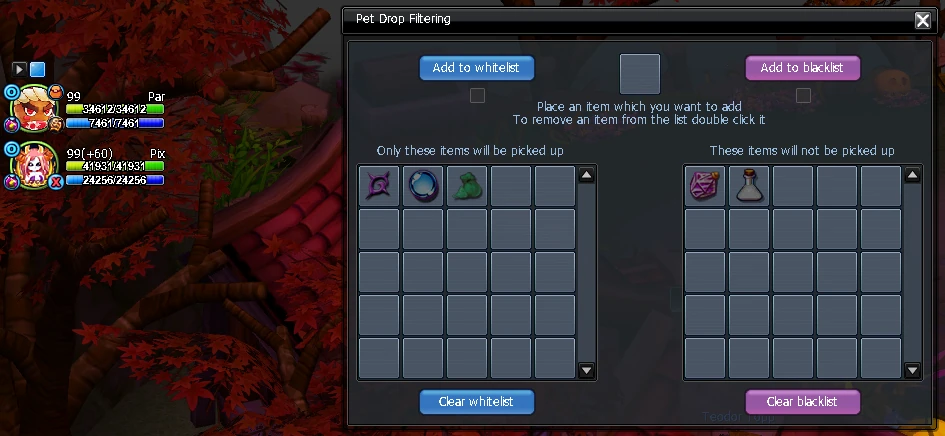
- Whitelist: the pet only picks up listed items.
- Blacklist: the pet never picks up listed items.
- With both lists empty, the pet picks up as usual.