Warp System
The Warp System saves personal return points and offers public warps to cities, raid entrances and high-level zones.
How it works
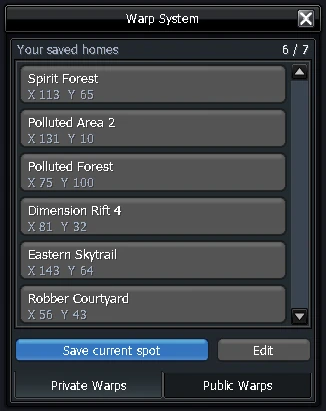
- Open it with the Warp icon at the top right of the map, or in Motion (K) with the icons along the bottom.
- Save a point: stand where you want and press Save current spot. It saves your exact spot. You have 7 slots; each
 Warp Expansion Token adds one.
- Manage: press Edit, then use the arrows to reorder your points or the red button to remove one.
Warp from chat
Skip the menu and type the warp straight into chat. It works exactly like clicking it in the Warp menu: same casting time, same gold cost.
| Type in chat | Takes you to |
|---|---|
%w 1 | Your first personal warp (%w 2 for the second, and so on) |
%w nosville or %w nv | NosVille |
%w celestial spire 5 or %w belial | Celestial Spire 5 |
%w cuby or %w mother cuby | Mother Cuby's raid entrance |
%warp works too. Capital letters, spaces and punctuation don't matter, so %w Hell's Gate 4 and %w hells gate 4 are the same. The full name of a warp always works, and the Chat command column below lists the short names for each one.
Public warps
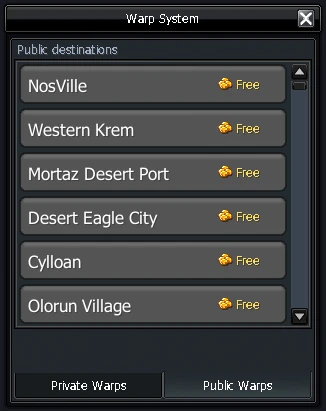
Public warps cost a fixed amount of gold (some are free) and go to the major cities, raid entrances and high-level zones.
⚔️ Raid Entrances
One click to each raid's staging room. Bring the matching Raid Seal to summon the boss.


Tip: click a seal icon to preview the item and its stats. Not every raid has a public warp — a few are still reached by using the raid's seal from wherever you stand.
🏙️ Cities & Zones
Town hubs are free; the high-level grinding zones sit at the top of the price list.